

Manual Index
-
Chapters
The Manual is divided into seven chapters. Click a chapter title to display that chapter's table of contents in the area below.
Chapter Three
A Client Chart
PSYBooks Manual
Chapter Three
Demographics Tab
What this isThe Demographics section of a client's chart gets its initial information from the Add Client form. Demographics holds general information about your client, such as name, address and contact information.What it looks likeThe tab to open the Demographics section of the chart looks like this: 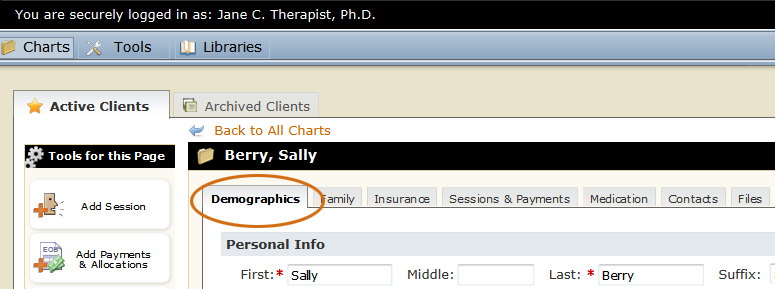 |
Where this isOpen a client's chart by clicking their name in the table on the Charts page. The chart will open to the Demographics tab.
|

The Demographics section of the client's chart looks like this:
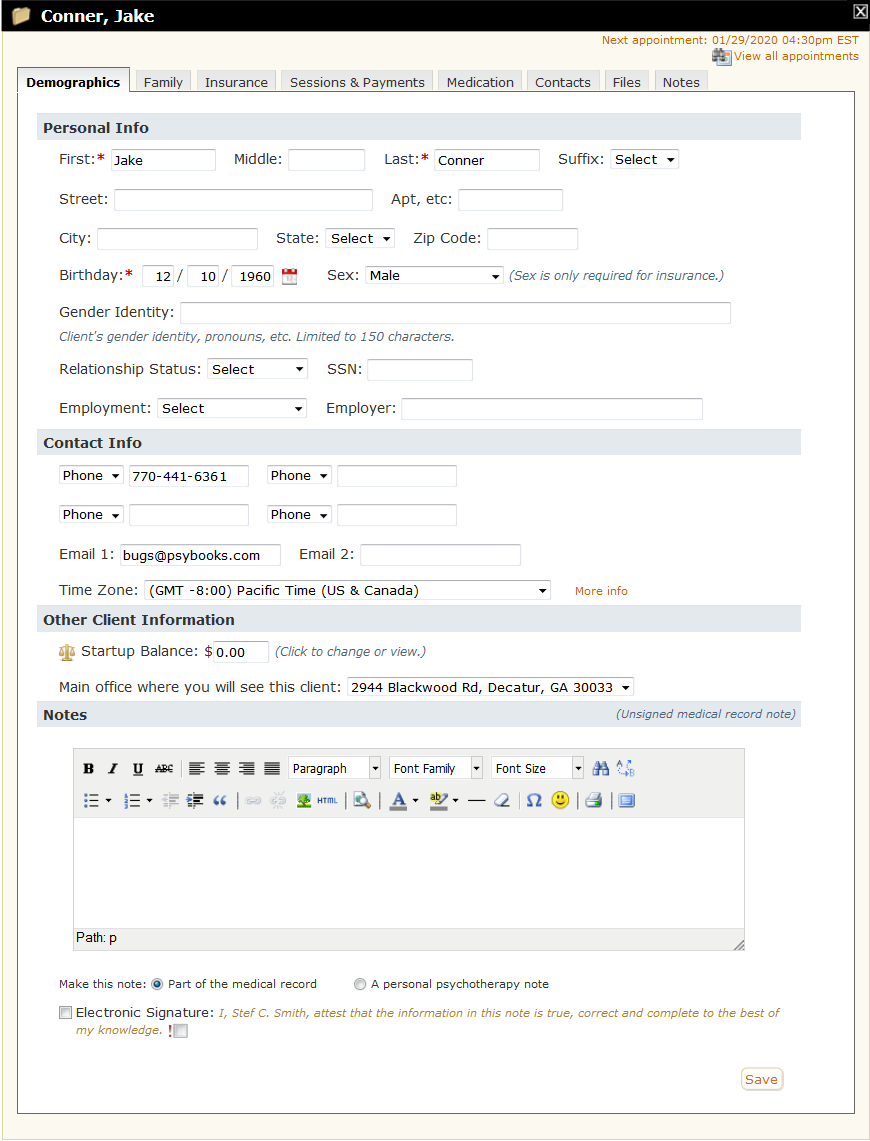
The Demographics page of a client's chart is like the face sheet of a traditional paper chart. It is created either by the client with the Profile tool and/or by the therapist with the Onboarding Tool or the Add Client tool. It holds contact information and general patient info like gender and birthday.
The Demographics page also serves as the Edit Client tool, meaning that you can make changes here at any time to update a client's information. If the client has already filled out a Profile form but needs to update it, the Portal and Profile Tools section of the Demographics page of the chart changes to display a link which allows you to resend the Profile tool:
The Portal and Profile Tools section gives you important information about your client's set-up. The example below is taken from the screenshot above and, at a glance, we can see that this client has not completed any of the set-up features:

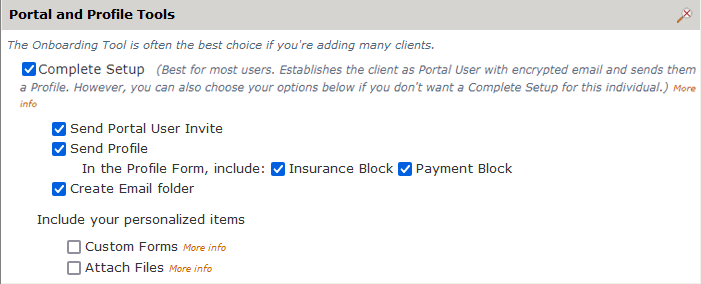
This limits what they'll be able to do in PSYBooks and also means that you will be unable to use many common tools with them, such as secure email, Custom Forms, collecting esignatures and others. In most cases, it's suggested that you use the Complete Setup, which is the most HIPAA compliant solution and which also gives both you and your client access to all tools. Clicking Complete Setup does this:
If you're interested in or unsure about any of these options, there's more of a write-up in the Add Client secion of the Manual, or you can ask a member of the PSYBooks Support Team for help.